The Queue and What Plays Next
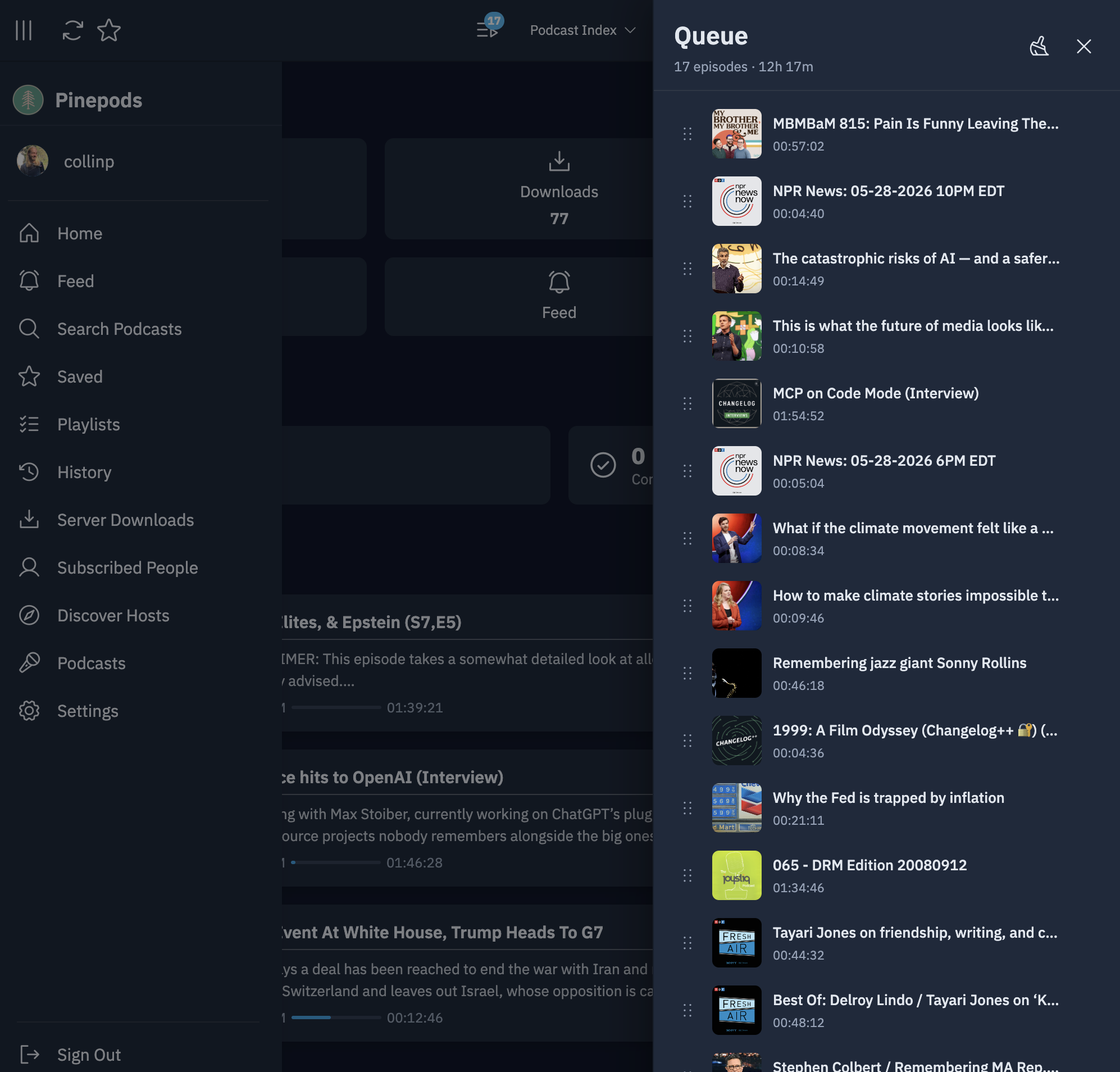
The queue is your up-next list. It's saved on the server, so the web app, the desktop app and the mobile apps share one queue.
Adding episodes
- Queue Episode in an episode's menu puts it right after the episode that's playing, so it plays next. With nothing playing, it goes to the top.
- Playing an episode moves it to the top of the queue (adding it if it wasn't there), so whatever is playing is always first.
- Auto-add new episodes to queue in a podcast's settings adds each new episode of that podcast to the end of the queue when it arrives.
- On a podcast's page, Select lets you tick several episodes and Queue them at once.
Managing the queue
The Queue button in the player opens the queue panel next to whatever page you're on. It shows Now Playing and the episodes after it. Drag episodes to reorder them. Queue in the sidebar shows the same list full-size.
Manage queue opens a larger view:
- Sort by Manual order, Date: newest first, Date: oldest first, or Group by podcast, check the Preview of new order, and click Apply new order. This rewrites the queue order and can't be undone.
- Search the queue, tick episodes, and Remove selected.
Finishing an episode, or marking it complete, removes it from the queue.
What plays next
When an episode ends, Pinepods picks the next one in this order:
- Playing from a playlist: the next episode in that playlist.
- Auto-play next episode is on for the podcast: the next newer episode of the same podcast you haven't finished. Use this for shows meant to be heard in order, like audio dramas or courses. It's off by default and set per podcast in the podcast's settings. The episode isn't added to your queue.
- Otherwise: the next unfinished episode in your queue.
If none of these finds anything, playback stops.
To control playback on another of your devices, see Playing on other devices.