The Queue
The queue is your up-next list. Add episodes to it from anywhere, reorder them, and PinePods plays through them one after another.
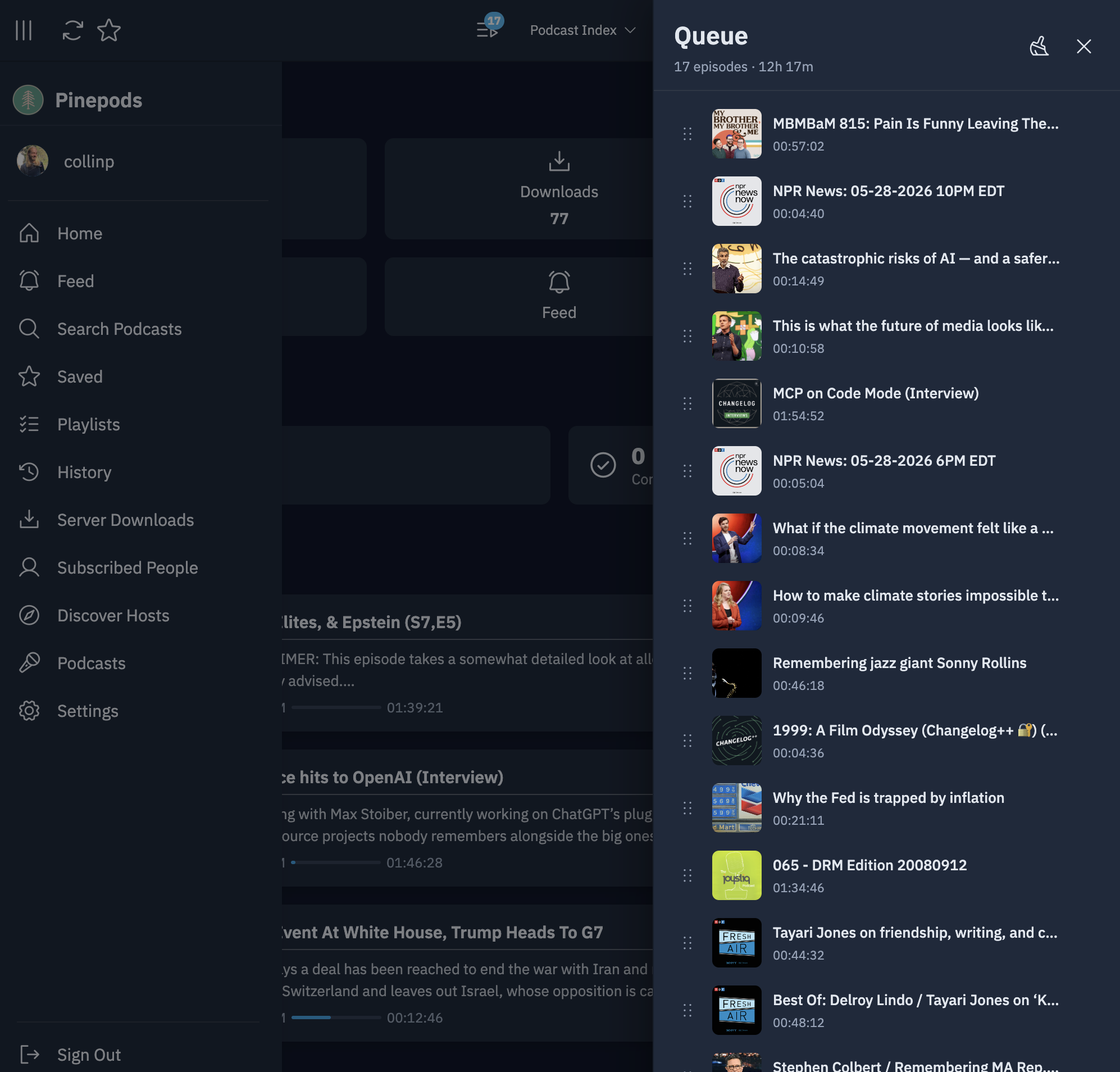
The queue side panel (web)
On the web client, the queue lives in a persistent side panel you can open from any page — you don't have to navigate away from what you're doing to see or change what's playing next.
From the panel (and from episode context menus) you can:
- Add episodes to the queue.
- Reorder episodes by dragging them into the order you want.
- Remove an episode with the "Remove From Queue" action.
- Clear the queue when you want to start fresh.
- Multi-select episodes with checkboxes to manage several at once.
Auto-play next
When the current episode finishes, the next episode in the queue starts automatically, giving you a continuous listening session. This works hand-in-hand with:
- Serial podcasts, which advance a single show in order.
- Playlist continued play, which plays a playlist straight through.
On mobile
The mobile apps include the same queue concept with auto-play-next when an episode finishes, plus inline queue controls on the podcast detail screen.
Tips
- Build a listening session by queueing a few episodes across different shows, then let auto-play carry you through them.
- Use the multi-select checkboxes to quickly clear out episodes you've changed your mind about.