Downloads
Pinepods has two kinds of downloads:
- Server downloads are saved on your Pinepods server. Every app plays them from there, and they keep working if the podcast later removes the episode.
- Device downloads are saved on your phone (mobile apps) or computer (desktop app) for listening offline.
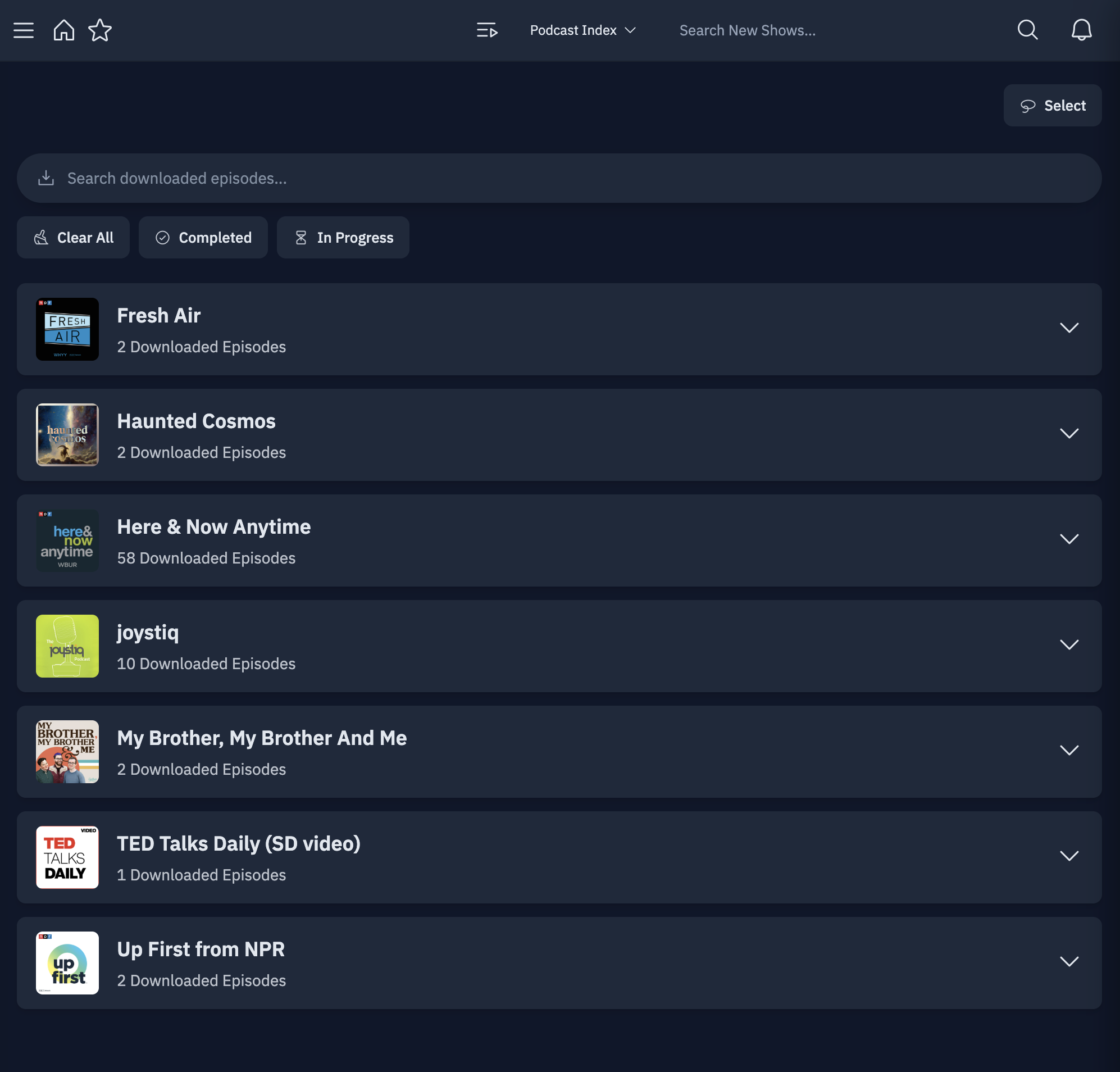
Server downloads
Download an episode with Download Episode in its menu. To download a whole podcast, use the download-all button on the podcast's page. To download every new episode as it arrives, see Auto-Download.
Downloads in the sidebar lists your server downloads, grouped by podcast, with search, Completed and In Progress filters, and Select for deleting several at once. Progress of running downloads shows in the Activity panel.
Files are written to /opt/pinepods/downloads inside the container. Mount it to wherever they should live on the host, and set PUID/PGID to your host user so the files are readable there:
    volumes:
      - /home/user/pinepods/downloads:/opt/pinepods/downloads
Cleaning up server downloads
| Setting | Where | What it does |
|---|---|---|
| Auto-Delete Downloads After | Settings → Auto-Delete Downloads, and per podcast | Deletes server downloads older than this many days. 0 turns it off. Checked every 6 hours. |
| Delete downloads when finished | Same places | Deletes an episode's server download about an hour after you finish it. Downloading it again after finishing keeps it. |
The value in Settings is your default; a podcast's own setting overrides it, and Reset goes back to the default.
Server download settings (admins)
Settings → Admin → Download Settings:
| Setting | What it does |
|---|---|
| Enable Server Downloads | Turns server downloads on or off for everyone, including auto-downloads. |
| Save podcast cover as folder.jpg | Writes the cover into each podcast's download folder, for players such as Emby, Jellyfin and AudioBookShelf. |
| Save episode cover art sidecar | Saves each episode's artwork as an image file next to the audio. |
| Save episode metadata sidecar | Saves episode details next to the audio, in the Metadata sidecar format you pick: JSON, XML (RSS item), FFMETADATA (ffmpeg) or Both JSON + XML. Write sidecars into a metadata/ subfolder puts them in a subfolder instead. |
Device downloads (mobile)
Download an episode from its menu or the download button on its card. The Downloads screen lists what's on the device, and download activity shows progress while files come in.
Settings for this live in the app's Settings → Download Management:
| Setting | What it does |
|---|---|
| Auto-download on WiFi only | Automatic downloads (auto-download, queue and mirror) only run on WiFi. |
| Prefer server download source | Download from the server's copy when there is one, otherwise from the podcast's feed. |
| Auto-download queued episodes | Keeps the next 0, 1, 2, 3, 5 or 10 episodes of your queue downloaded. |
| Mirror server downloads | Keeps this device in sync with the episodes downloaded on the server. |
| Delete downloads when finished | Removes a device download once you finish the episode. |
| Delete downloads after | Removes device downloads older than 1, 3, 7, 14, 30, 60 or 90 days, or Never. |
Each podcast's page also has Device downloads settings: Auto-download to device for new episodes, and its own Delete when finished and Delete after, which override the defaults above. The same page has the podcast's Server downloads settings.
If the phone has an SD card, the app can store downloads on it.
Desktop app
In the desktop app, Local Download in an episode's menu saves it to your computer. Local Downloads in the sidebar lists them and plays them without a connection to the server.