Smart Playlists
Smart playlists fill themselves from rules you set. Open them from Playlists in the sidebar (or the mobile apps' playlists screen), and click Create New Playlist to make one. This page explains each option.
Overview
A smart playlist is worked out from its rules each time you open it, so it always reflects what you've listened to and what's new. Playing from a playlist plays its episodes in order (see What plays next), and each playlist can also be published as an RSS feed.
Basic Information
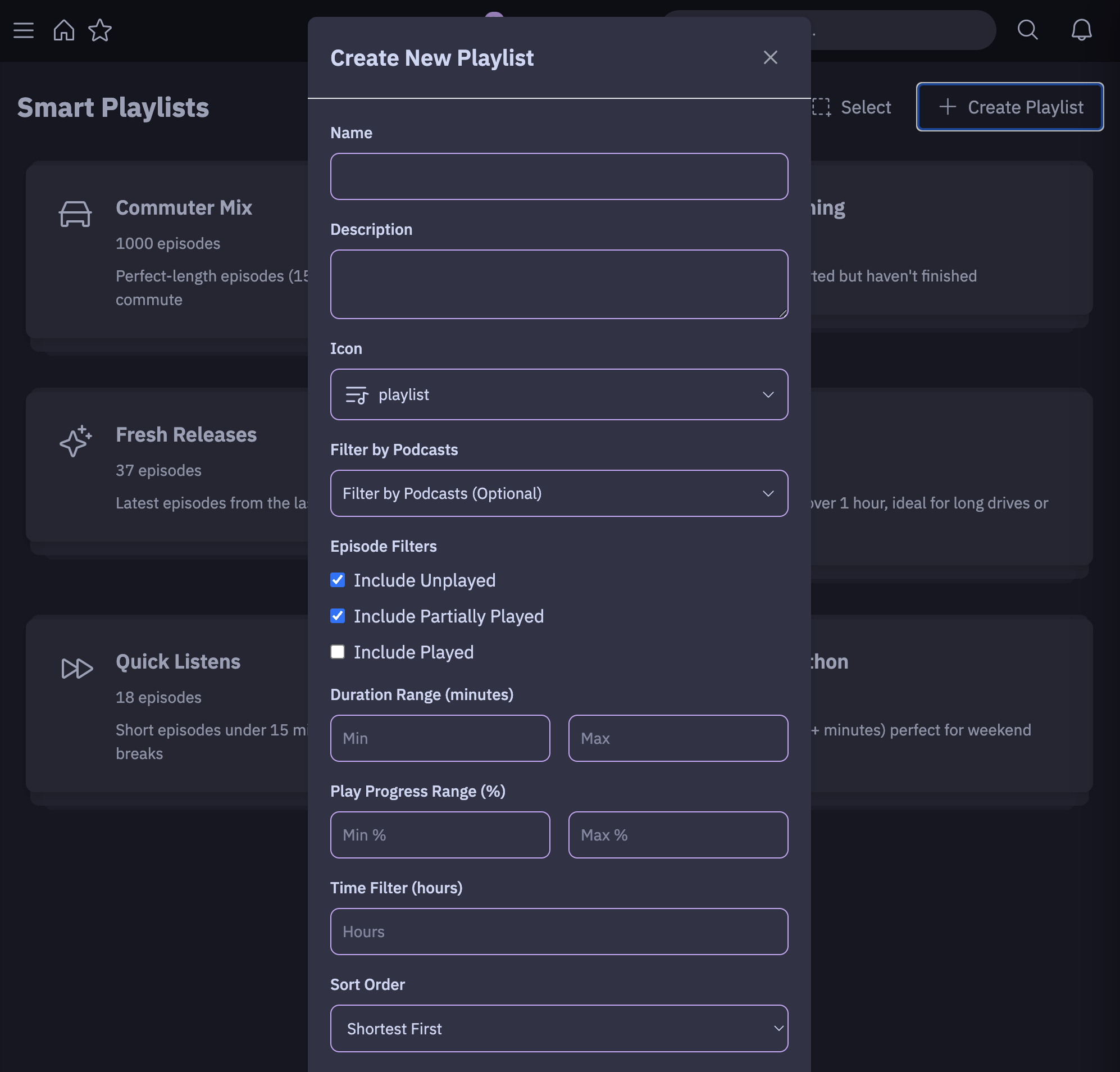
Name (Required)
- Purpose: The display name for your playlist
- Effect: This is how your playlist will appear in the interface
Description (Optional)
- Purpose: A brief description of what the playlist contains
- Effect: Provides context about the playlist's purpose
- Display: Shown in the playlist card and details view
Icon
- Purpose: Visual representation of your playlist
- Options: Choose from the Phosphor icon set (music, broadcast, star, etc.)
- Default:
ph-playlist - Effect: Displayed alongside the playlist name
Episode Filtering Options
Filter by Podcasts (Optional)
- Purpose: Limit episodes to specific podcasts in your collection
- Options:
- None selected = Include episodes from ALL podcasts
- Select specific podcasts = Only include episodes from those podcasts
- Effect: Acts as a primary filter - only episodes from selected podcasts will be considered for other criteria
Episode State Filters
Include Unplayed
- Default:
true(enabled) - Purpose: Include episodes you haven't started listening to
- Criteria: Episodes with no listening history OR listen duration = 0
- Effect: Adds fresh, new episodes to your playlist
Include Partially Played
- Default:
true(enabled) - Purpose: Include episodes you've started but not finished
- Criteria: Episodes with listen duration > 0 AND not marked as completed
- Effect: Brings back episodes you're in the middle of
- Note: Required for Play Progress Range filters to work
Include Played
- Default:
false(disabled) - Purpose: Include episodes you've already completed
- Criteria: Episodes marked as completed
- Effect: Can create "favorites" or "replay" type playlists
Duration Filters
Duration Range (Minutes)
- Min Duration: Only include episodes longer than X minutes
- Max Duration: Only include episodes shorter than X minutes
- Effect:
- Setting Min=30 excludes short clips and trailers
- Setting Max=60 excludes very long episodes
- Use both to target specific episode lengths (e.g., 20-45 minutes for commute listening)
Play Progress Range (%)
- Only Active When: "Include Partially Played" is enabled
- Min %: Only include episodes you've listened to at least X% of
- Max %: Only include episodes you've listened to no more than X% of
- Examples:
- Min=5%, Max=95% = Episodes you've started but not finished
- Min=75% = Episodes you're almost done with ("Almost Done" playlist)
- Max=25% = Episodes you've barely started
Time-Based Filtering
Time Filter (Hours)
- Purpose: Only include episodes published within the last X hours
- Effect: Creates "Fresh Releases" type playlists
- Examples:
- 24 hours = Today's episodes only
- 168 hours (7 days) = This week's episodes
- Leave empty = No time restriction
Sorting and Organization
Sort Order
Determines the order episodes appear in your playlist:
By Date
- Newest First (
date_desc): Latest episodes at the top - Oldest First (
date_asc): Earliest episodes at the top
By Duration
- Longest First (
duration_desc): Longest episodes at the top - Shortest First (
duration_asc): Shortest episodes at the top
Group by Podcast
- Default:
false(disabled) - When Enabled: Episodes are grouped by their podcast, then sorted within each podcast group
- Effect: Prevents one very active podcast from dominating your playlist
- Use Case: Ensures variety when you follow podcasts with different posting frequencies
Max Episodes
- Purpose: Limits the total number of episodes in the playlist
- Behavior: After applying ALL other filters and sorting, only the first X episodes are included
- Examples:
- Sort by "Longest First" + Max Episodes = 50 → Gets the 50 longest episodes that match your criteria
- Sort by "Newest First" + Max Episodes = 100 → Gets the 100 most recent episodes that match your criteria
- Important: This is applied AFTER sorting, so you get the "best" X episodes according to your sort criteria
How Filtering Works (Order of Operations)
- Podcast Filter: Start with episodes from selected podcasts (or all if none selected)
- Time Filter: Remove episodes outside the time window (if specified)
- Duration Filter: Remove episodes outside duration range (if specified)
- Episode State Filter: Include only episodes matching your play state criteria
- Play Progress Filter: Further filter partially played episodes by progress percentage
- Sorting: Order the remaining episodes according to sort criteria
- Grouping: If enabled, group episodes by podcast while maintaining sort order within groups
- Max Episodes: Take only the first X episodes from the sorted/grouped list
Example Playlist Scenarios
"Commute Ready" Playlist
- Duration: 20-45 minutes
- Include: Unplayed + Partially Played (5-90%)
- Sort: Newest First
- Max Episodes: 20
- Result: Recent episodes of good commute length, excluding barely-started and almost-finished episodes
"Catch Up on Long Episodes" Playlist
- Duration: 60+ minutes
- Include: Unplayed only
- Sort: Oldest First
- Group by Podcast: Enabled
- Max Episodes: 15
- Result: Oldest unplayed long-form episodes, distributed across podcasts
"Almost Done" Playlist
- Include: Partially Played only
- Play Progress: 75-95%
- Sort: Longest First
- Max Episodes: 10
- Result: Episodes you're nearly finished with, prioritizing longer content
"Fresh Discoveries" Playlist
- Time Filter: 168 hours (1 week)
- Include: Unplayed only
- Duration: 15-60 minutes
- Sort: Newest First
- Group by Podcast: Enabled
- Max Episodes: 50
- Result: This week's new episodes of reasonable length, with variety across podcasts
Tips for Effective Playlists
- Start Simple: Begin with basic filters and add complexity as needed
- Use Max Episodes: Prevents overwhelming playlists and improves performance. It will select the most relevant episodes to what you select first. For example, if you set filtering to longest first, it will pick the longest ones first for the playlist.
- Group by Podcast: Essential when following many active podcasts
- Combine State Filters: Mix unplayed and partially played for variety
- Time + Duration: Combine for targeted content (e.g., "This week's short episodes")
- Progress Ranges: Fine-tune partially played content to match your preferences
System Playlists
Every user starts with these built-in playlists. They're marked (System) and can't be deleted.
| Playlist | Rules |
|---|---|
| Quick Listens | Episodes under 15 minutes, shortest first. |
| Longform | Episodes over an hour, longest first. |
| Currently Listening | Episodes you've started but not finished, newest first. |
| Fresh Releases | Unplayed episodes from the last 24 hours, newest first. |
| Weekend Marathon | Episodes over 30 minutes, longest first, grouped by podcast. |
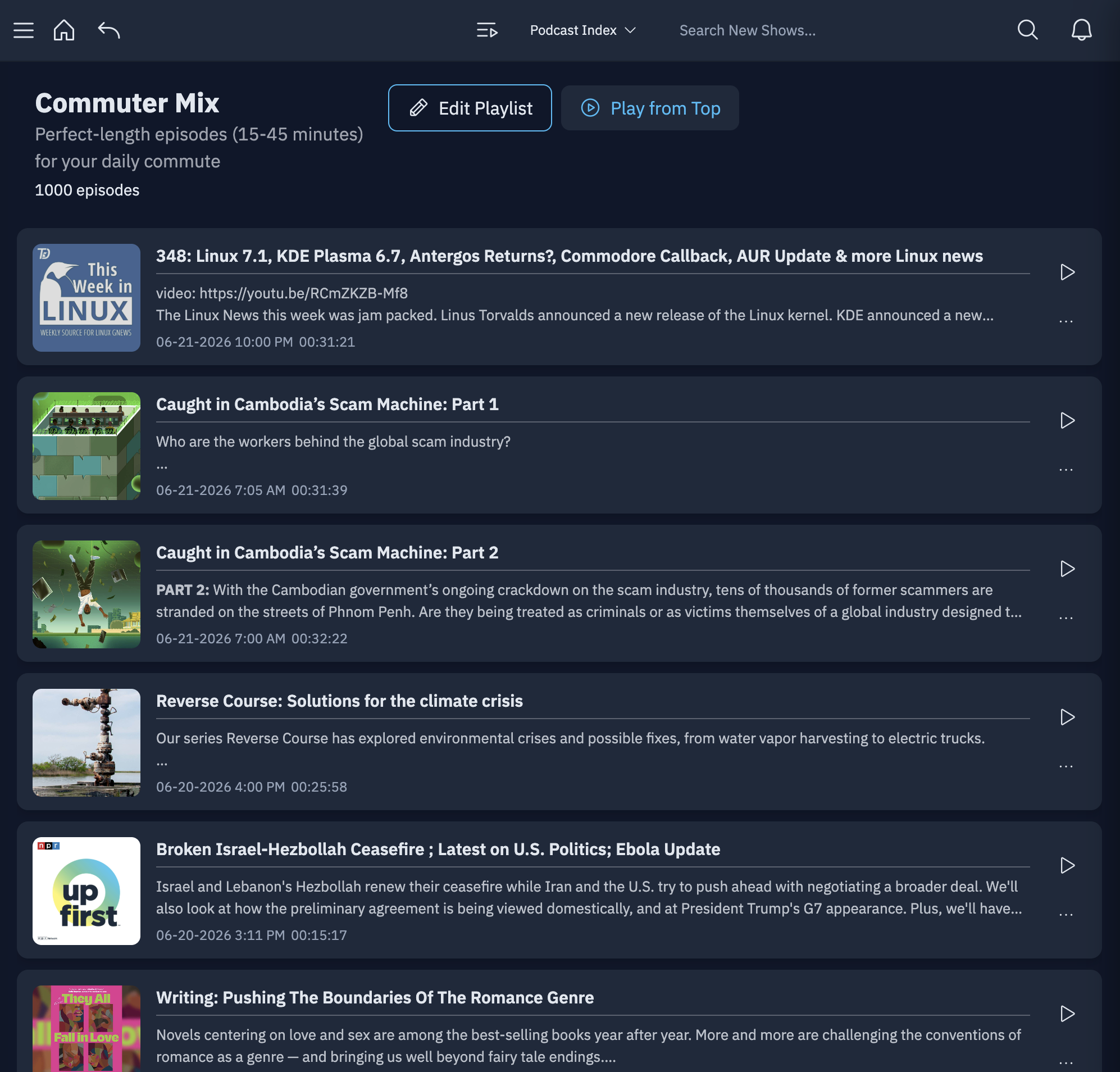
| Commuter Mix | Episodes between 15 and 45 minutes, newest first. |
Accounts that already existed when playlists were added to Pinepods also have Almost Done: episodes you've listened to at least 75% of.